Quick Summary
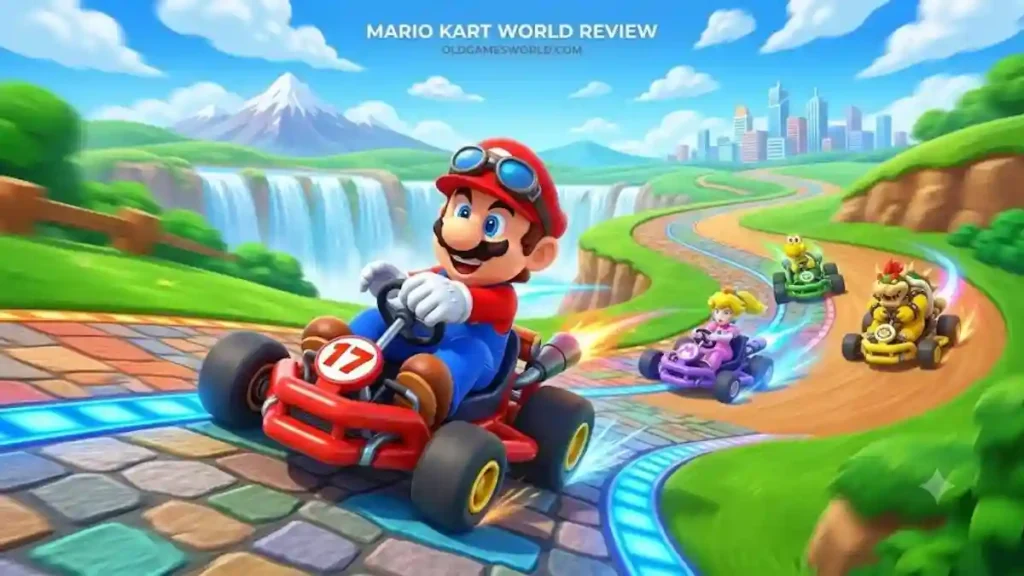
Mario Kart World takes Nintendo’s long-running kart racing series in a bold new direction. Instead of simply adding more tracks and characters, it introduces a connected world, larger multiplayer races, and new game modes that make every session feel different. While not every new idea is equally successful, the core racing experience remains one of the strongest reasons to own a Nintendo Switch 2.
Table of Contents
Mario Kart World Review
For years, Mario Kart has followed a familiar formula: pick a character, choose a cup, race four tracks, and fight for first place using items, drifting, and smart shortcuts. That formula became one of Nintendo’s biggest success stories, and many players expected the next game to simply build on it.
Mario Kart World does something far more ambitious.
Instead of treating every race as an isolated event, Nintendo connects courses into one larger world. Roads stretch between environments, weather changes naturally, and different locations feel like parts of the same adventure rather than separate menu selections. It is a significant shift for a series that has traditionally focused on standalone circuits.
The result is a game that feels familiar the moment you start driving but surprisingly fresh after spending a few hours exploring everything it offers.
The biggest question, however, isn’t whether Mario Kart World is fun.
It’s whether these new ideas actually improve what made Mario Kart great in the first place.
A Bigger World Changes the Way You Race
The most obvious difference is scale.
Mario Kart World isn’t just bigger because the map is larger. The racing itself feels larger.
Courses connect naturally through highways, forests, cities, snowy mountains, beaches, and deserts, making every race feel like part of a much bigger journey. Instead of repeatedly jumping between disconnected locations, players experience a world that feels alive and interconnected.
This approach also creates more variety during races.
Long routes introduce changing scenery, different hazards, and multiple opportunities to recover after mistakes. Even familiar racing mechanics feel slightly different because the environments constantly evolve instead of repeating the same visual themes.
Nintendo clearly wanted players to think less about individual tracks and more about traveling through one massive racing world.
That design philosophy succeeds more often than it fails.
Racing Still Comes First
Despite all the attention surrounding its open-world design, Mario Kart World never forgets what made the franchise successful.
The driving remains responsive, smooth, and instantly enjoyable.
Drifting still feels rewarding.
Items continue creating unpredictable moments.
Learning shortcuts is still satisfying.
Winning still requires skill even though luck occasionally changes the outcome.
Nintendo wisely avoided overcomplicating the controls.
New players can begin racing within minutes, while experienced fans still have plenty of advanced techniques to master through better drifting, smarter item usage, and improved route selection.
That balance has always been Mario Kart’s greatest strength.
Mario Kart World successfully preserves it.
Knockout Tour Is the Standout Feature
If one feature defines Mario Kart World, it’s Knockout Tour.
Instead of racing toward a single finish line, players compete through multiple connected sections while elimination checkpoints continuously remove competitors from the race.
Every checkpoint increases tension.
A small mistake suddenly matters.
One poorly timed shell can completely change your position.
Falling behind doesn’t always mean losing immediately, but recovering becomes increasingly difficult as the race progresses.
This constant pressure creates some of the most exciting multiplayer moments the series has ever produced.
Traditional Grand Prix races remain enjoyable, but Knockout Tour consistently delivers the kind of dramatic finishes players remember long after turning off the console.
For many players, this mode alone justifies Mario Kart World’s biggest design changes.
Free Roam Offers Something Different
Free Roam has become one of the most talked-about additions since launch.
Rather than jumping directly into races, players can simply drive.
They can explore.
Search for hidden locations.
Complete optional activities.
Experiment with shortcuts.
Or simply enjoy seeing how Nintendo connected every region together.
The mode works surprisingly well when approached as a relaxing break between competitive races.
However, expectations matter.
Players expecting an open-world adventure filled with constant objectives may feel disappointed.
Players looking for a peaceful environment to explore at their own pace are likely to appreciate it much more.
Free Roam feels less like the game’s main attraction and more like an enjoyable bonus that expands the overall experience.
Graphics Show Why Switch 2 Matters
Mario Kart has never relied on realistic graphics.
Its strength has always been artistic quality.
Mario Kart World continues that tradition while taking advantage of Nintendo Switch 2’s improved hardware.
The environments are larger.
Lighting appears more dynamic.
Weather effects create additional atmosphere.
Crowded races remain easy to read despite having significantly more racers on screen.
Perhaps the biggest achievement is clarity.
Even during chaotic moments filled with explosions, shells, drifting effects, and dozens of racers, the action rarely becomes confusing.
That visual readability is essential in a competitive racing game.
Nintendo clearly prioritized gameplay over unnecessary visual effects.
The result is one of the cleanest-looking racers currently available on Switch 2.
Multiplayer Remains the Heart of the Experience
Mario Kart has always been at its best with other people.
That hasn’t changed.
Whether you’re playing online, locally with friends, or competing against family members, Mario Kart World constantly creates unexpected stories.
Someone perfectly times a Blue Shell.
Another player discovers a shortcut.
Someone else survives elimination by only one position.
These unpredictable moments are what make Mario Kart special.
The expanded player count simply increases the number of memorable situations every race can create.
More racers mean more opportunities for dramatic comebacks, surprising victories, and hilarious defeats.
Chaos remains part of Mario Kart’s identity.
Mario Kart World simply embraces it on a larger scale.
Does the Open World Always Improve the Formula?
Not necessarily.
This is where opinions naturally become divided.
Some players will love exploring a connected world between races.
Others may return almost immediately to traditional racing modes.
Neither opinion is wrong.
The open-world concept adds freedom, but freedom alone doesn’t automatically make every activity more engaging.
At times, Free Roam feels like a fascinating foundation for future ideas rather than a fully realized experience on its own.
Fortunately, the game’s strongest content still revolves around racing.
That means even players who spend very little time exploring can still enjoy everything Mario Kart World does exceptionally well.
Mario Kart World Review Score: Is the Praise Justified?
Looking beyond individual review scores, one pattern becomes clear.
Most discussions agree on the same strengths.
- Excellent racing mechanics
- Outstanding multiplayer
- Beautiful world design
- Creative new game modes
- Smooth performance
- Strong presentation
Where opinions begin to differ is the long-term value of Free Roam.
Some players see it as a refreshing addition.
Others view it as an interesting experiment that doesn’t always provide enough meaningful activities.
That difference explains why review scores vary slightly between publications while still remaining overwhelmingly positive overall.
The core game is consistently praised.
The debate focuses on how much the open-world structure improves the traditional Mario Kart formula.
Mario Kart World vs. Mario Kart 8 Deluxe
One of the biggest questions surrounding Mario Kart World is whether it’s actually better than Mario Kart 8 Deluxe. The answer depends on what you’re looking for.
Mario Kart 8 Deluxe represents years of refinement. Its track selection, DLC support, and polished gameplay make it one of Nintendo’s strongest multiplayer games. Mario Kart World, on the other hand, focuses on expanding the series instead of repeating the same formula.
Rather than simply adding more tracks, Nintendo redesigned how players move through the game. Connected environments, larger races, and entirely new multiplayer modes make Mario Kart World feel like a new generation rather than another content update.
| Feature | Mario Kart World | Mario Kart 8 Deluxe |
|---|---|---|
| World Design | Connected world | Traditional race tracks |
| Maximum Racers | 24 | 12 |
| Exploration | Free Roam | None |
| Multiplayer | Larger-scale races | Classic Mario Kart multiplayer |
| New Modes | Knockout Tour | Grand Prix & Battle |
| Best For | Players wanting something new | Players wanting the classic formula |
If you enjoy discovering new mechanics and exploring larger environments, Mario Kart World is likely the better choice.
If your priority is simply racing through the largest collection of classic Mario Kart tracks, Mario Kart 8 Deluxe still remains an excellent option.
Mario Kart World Review Reddit: What Players Think
Professional reviews only tell part of the story.
Community discussions often reveal how players feel after spending dozens of hours with a game.
A common pattern appears in Reddit discussions.
Many players praise:
- Knockout Tour
- Larger multiplayer races
- Improved graphics
- Better animations
- Creative world design
- Smooth driving mechanics
At the same time, several discussions also mention areas where expectations were higher.
Common criticism includes:
- Free Roam could offer more meaningful activities.
- Some players wanted even more unlockable rewards.
- Traditional Grand Prix fans sometimes prefer the structure of Mario Kart 8 Deluxe.
Interestingly, very few players criticize the actual racing.
Most debates focus on how Nintendo expanded the formula rather than whether the racing itself is enjoyable.
Mario Kart World Review Bombing Explained
If you’ve searched online, you’ve probably seen people mentioning Mario Kart World review bombing.
Review bombing happens when a large number of users submit extremely low review scores over issues that may extend beyond the game’s gameplay.
This can happen because of:
- Pricing discussions
- Platform decisions
- Online service concerns
- Community frustration
- Other controversies surrounding a game’s release
That doesn’t automatically mean every negative review is unfair.
Some players raise thoughtful concerns about value or specific design choices.
However, review scores alone never tell the complete story.
Reading detailed opinions usually provides much more useful information than focusing only on a number.
Mario Kart World Review Metacritic
Critic reviews and user reviews don’t always measure the same thing.
Professional reviewers generally evaluate:
- Gameplay quality
- Design
- Technical performance
- Multiplayer
- Creativity
- Overall package
User reviews often include additional factors such as:
- Price
- Personal expectations
- Long-term replay value
- Previous Mario Kart games
- Platform preferences
That’s why the overall conversation around Mario Kart World is more interesting than simply comparing scores.
Most critics agree the game successfully evolves the franchise.
Many players agree with that conclusion while still debating whether every new feature reaches its full potential.
Mario Kart World Review IGN, GameSpot & Nintendo Life
Several major gaming publications reached a similar conclusion despite using different scoring systems.
The strongest praise consistently focused on:
- Excellent racing mechanics
- Beautiful world design
- Outstanding multiplayer
- Knockout Tour
- Nintendo’s willingness to innovate
Where opinions differed most was Free Roam.
Some reviewers viewed it as a relaxing addition that gives the game more personality.
Others believed it needed additional activities to fully justify its size.
That difference explains why review scores vary slightly even though the overall reception remains very positive.
Mario Kart World Review Embargo
Before launch, Nintendo allowed media outlets to publish their reviews after the official review embargo ended.
This ensured reviewers had enough time to experience the game’s major modes before sharing their opinions.
Once the embargo lifted, reviews from major publications appeared almost simultaneously, giving players a broad range of impressions before release.
What Makes Mario Kart World Different?
Mario Kart World isn’t simply “Mario Kart 9.”
Nintendo redesigned several core ideas.
The biggest differences include:
- Connected world instead of isolated tracks.
- More racers competing simultaneously.
- New elimination-style competition.
- Greater emphasis on exploration.
- Expanded movement mechanics.
- More dynamic environments.
Instead of replacing the traditional Mario Kart experience, these ideas build upon it.
Who Should Buy Mario Kart World?
Mario Kart World is an excellent choice if you:
- Own a Nintendo Switch 2.
- Enjoy multiplayer games.
- Love Nintendo franchises.
- Prefer arcade racing over simulation.
- Want a fresh Mario Kart experience.
- Play with family or friends regularly.
It may be less suitable if you:
- Prefer realistic racing simulators.
- Only want classic four-race Grand Prix events.
- Have little interest in exploration.
Pros & Cons
| Pros | Cons |
|---|---|
| Fantastic core racing | Free Roam won’t appeal to everyone |
| Knockout Tour is excellent | Some activities feel limited |
| Beautiful presentation | Traditional fans may prefer Mario Kart 8 Deluxe |
| Great multiplayer | Exploration could become deeper over time |
| Large connected world | Learning new mechanics takes practice |
Final Verdict
Mario Kart World doesn’t try to replace Mario Kart 8 Deluxe.
Instead, it asks a different question:
What would Mario Kart look like if Nintendo redesigned it for a new generation?
For the most part, the answer is impressive.
The racing remains fast, accessible, and endlessly entertaining.
Knockout Tour adds one of the best multiplayer modes the franchise has seen in years.
The connected world gives Mario Kart a stronger sense of place, even if Free Roam doesn’t always reach its full potential.
Most importantly, Mario Kart World feels confident enough to evolve instead of simply repeating past successes.
Not every experiment works perfectly, but the willingness to innovate makes this one of the most exciting entries in the series.
If you own a Nintendo Switch 2 and enjoy arcade racing games, Mario Kart World is an easy recommendation.
Our Editorial Rating: 9/10
Verdict: A bold evolution of Mario Kart that successfully expands the series while keeping the fast, accessible racing that fans love.
Frequently Asked Questions
Is Mario Kart World a good game?
Yes. Mario Kart World offers enjoyable racing, strong multiplayer, creative new modes, and an ambitious connected world. While some players may have mixed opinions about Free Roam, the core gameplay is highly entertaining.
Is Mario Kart World better now?
The game has become more polished through post-launch updates and refinements. If you were unsure at launch, it’s worth looking at its current state before making a decision.
What is better, Mario Kart World or Mario Kart 8?
Mario Kart World is better for players looking for new ideas, larger races, and a connected world. Mario Kart 8 Deluxe remains the better choice for those who prefer the traditional Mario Kart structure and its extensive collection of tracks.
Is Mario Kart World a success?
Yes. Mario Kart World has established itself as one of the standout titles for Nintendo Switch 2. Its ambitious design, strong multiplayer, and positive critical reception have made it an important entry in the franchise.