Quick Summary
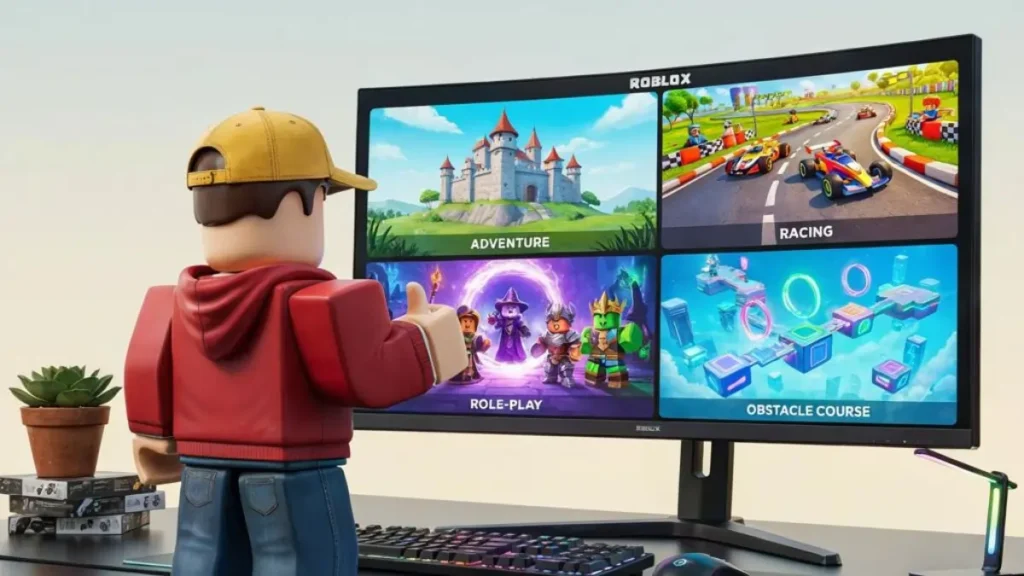
If you’re new to Roblox, don’t worry—getting started is easier than it looks. Roblox isn’t just one game; it’s a platform filled with millions of user-created experiences, from action and racing to role-playing, puzzle, and simulation games. This guide walks you through everything you need to know, from creating an account to finding great games and staying safe while playing.
What Is Roblox?
If you’ve heard people talking about Roblox, you might assume it’s just another online game. In reality, Roblox is something much bigger.
Roblox is an online platform where players can enjoy millions of games created by developers from around the world. Instead of offering one fixed experience, it lets creators build their own games using Roblox Studio and share them with the community.
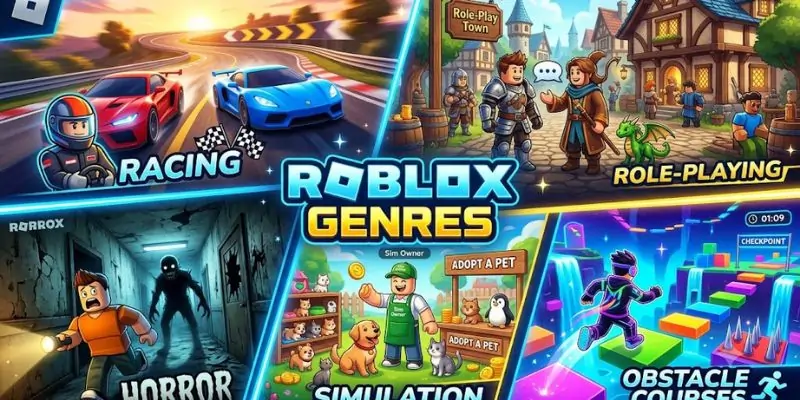
This means you’ll find an incredible variety of experiences, including:
- Adventure games
- Racing games
- Obstacle courses (Obbies)
- Horror games
- Survival games
- Role-playing games
- Sports games
- Tycoon games
- Puzzle games
- Creative sandbox experiences
No matter what type of games you enjoy, there’s a good chance you’ll find something that matches your interests.
Why Is Roblox So Popular?
Roblox has remained popular for years because it offers something different from traditional games.
Instead of waiting for official updates, players constantly create new experiences. Every day, thousands of fresh games, events, and virtual items are added to the platform.
Some of the biggest reasons people enjoy Roblox include:
- Millions of free games
- Easy access on PC and mobile
- Multiplayer gameplay with friends
- Creative avatar customization
- Frequent community events
- New content released every day
This constant flow of fresh content means there’s always something new to discover.
Who Should Play Roblox?
One of Roblox’s biggest strengths is its wide appeal.
It’s suitable for:
- Children looking for fun mini-games
- Teenagers who enjoy multiplayer experiences
- Adults interested in creative sandbox games
- Casual gamers
- Competitive players
- Aspiring game developers
Whether you want a quick 10-minute session or spend hours exploring different worlds, Roblox offers plenty of options.
How to Download Roblox on PC
Getting started only takes a few minutes.
Step 1: Visit the Official Website
Go to the official Roblox website using your web browser.
Step 2: Create an Account
Provide:
- Username
- Password
- Date of birth
Choose a strong password to help protect your account.
Step 3: Verify Your Account
Although optional at first, verifying your email address is highly recommended.
Benefits include:
- Easier password recovery
- Better account security
- Extra protection against unauthorized access
Step 4: Choose Any Game
After logging in, simply click on any game you’d like to play.
The Roblox Player will automatically download the first time you launch a game.
Step 5: Install Roblox Player
Open the downloaded installer and follow the on-screen instructions.
The installation usually finishes within a minute or two.
Once complete, games will launch directly from your browser or the Roblox app.
Creating Your First Avatar
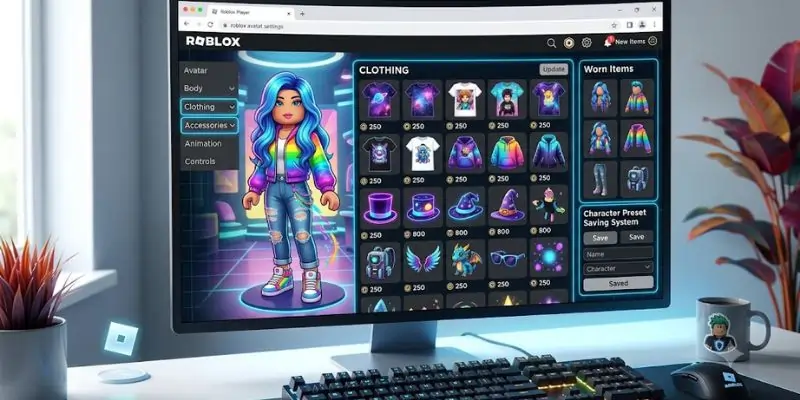
One of the most enjoyable parts of Roblox is customizing your character.
You can personalize your avatar with:
- Hairstyles
- Shirts
- Pants
- Hats
- Glasses
- Accessories
- Animations
- Emotes
Many cosmetic items are free, while premium items can be purchased using Robux.
Don’t worry about buying anything immediately. New players can create attractive avatars using the free customization options available.
Understanding the Roblox Home Screen
When you first log in, you’ll notice several sections designed to help you find games and connect with others.
These include:
Home
Shows recommended games based on your activity and trending experiences.
Discover
Browse thousands of games sorted by category, popularity, genre, or recommendations.
Friends
See what your friends are playing and join them if the game allows it.
Avatar
Customize your character’s appearance, outfits, and accessories.
Messages & Notifications
Stay updated with friend requests, event announcements, and game invitations.
Taking a few minutes to explore these menus makes navigating Roblox much easier.
Beginner Tip
Don’t spend your Robux immediately. Play several different games first to understand what you enjoy. Many of Roblox’s most popular experiences are completely free, so there’s no need to rush into purchases.
Roblox PC Controls
Before jumping into your first game, it’s helpful to learn the basic controls. While some games have unique mechanics, most Roblox experiences use familiar PC controls.
| Action | Default Key |
|---|---|
| Move | W, A, S, D |
| Jump | Spacebar |
| Sprint | Shift (if supported by the game) |
| Interact | E or Left Mouse Button (varies by game) |
| Camera | Move Mouse |
| Zoom | Mouse Wheel |
| Chat | / (Forward Slash) |
| Menu | Esc |
Tip: Some games let you customize controls, while others use their own control schemes. Always check the game’s instructions when you join.
How to Find the Best Roblox Games
With millions of experiences available, choosing what to play can feel overwhelming. Fortunately, Roblox offers several ways to discover quality games.
Browse Popular Categories
Explore categories like:
- Adventure
- Roleplay
- Action
- Racing
- Horror
- Simulation
- Sports
- Survival
- Tycoon
- Obby (Obstacle Courses)
Trying different genres helps you discover what you enjoy most.
Read Game Descriptions
Before clicking Play, spend a few seconds reading:
- Game description
- Update notes
- Supported devices
- Special features
This gives you a better idea of what to expect.
Check Ratings
While ratings aren’t everything, games with strong community feedback are often more polished and enjoyable.
Also consider:
- Number of active players
- Favorites
- Recent updates
These can indicate whether a game is actively maintained.
Understanding Robux
Robux is Roblox’s virtual currency. It’s used to purchase cosmetic items, game passes, private servers, and other optional content.
You can use Robux for things like:
- Avatar clothing
- Accessories
- Special abilities in some games
- Exclusive items
- Premium experiences
Do You Need Robux?
No.
Many of Roblox’s most popular games are completely free to play.
You can spend hundreds of hours enjoying Roblox without buying anything.
Think of Robux as an optional bonus rather than a requirement.
Be Careful of “Free Robux” Scams
One of the most common mistakes new players make is trusting websites or videos that promise unlimited free Robux.
Keep these safety rules in mind:
- Never share your password.
- Don’t enter your login details on unofficial websites.
- Avoid suspicious browser extensions.
- Ignore offers that sound too good to be true.
- Enable two-step verification for extra account security.
If someone claims they can generate unlimited Robux, it’s almost certainly a scam.
Playing with Friends
Roblox becomes even more enjoyable when you play with friends.
You can:
- Add friends
- Join their games
- Chat while playing
- Create private servers (for supported games)
- Work together in cooperative experiences
Playing with others is one of the reasons Roblox has remained popular for so many years.
Privacy and Safety Settings
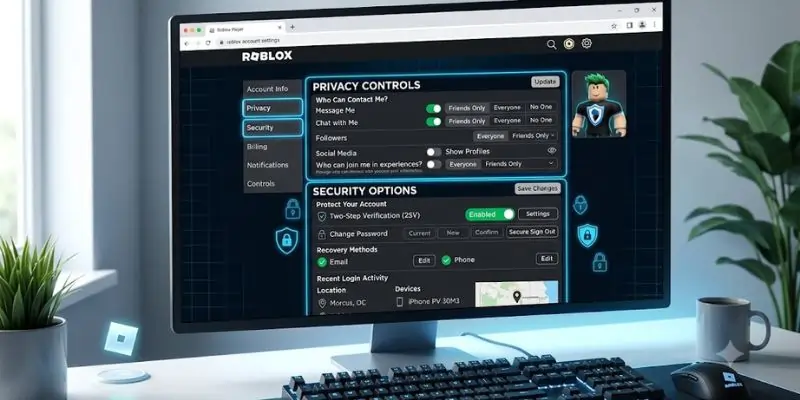
Roblox includes several built-in privacy features that players—and especially parents—should review.
Important settings include:
- Who can message you
- Who can join your games
- Who can follow you
- Voice chat permissions (where available)
- Account PIN
- Two-step verification
Adjusting these settings can make your experience more secure and enjoyable.
Beginner Mistakes to Avoid
Starting out is exciting, but a few common mistakes can make the experience frustrating.
1. Spending Robux Too Quickly
Save your Robux until you’ve explored several games. You may discover your favorite game doesn’t require any purchases at all.
2. Ignoring Game Tutorials
Many Roblox games include short tutorials that explain unique mechanics. Skipping them can make gameplay more confusing than it needs to be.
3. Accepting Random Friend Requests
Only add people you trust. A smaller, safer friends list is better than accepting every request.
4. Falling for Scams
Never trust messages promising:
- Free Robux
- Rare items
- Account upgrades
- Secret generators
Roblox staff will never ask for your password.
5. Playing Only One Game
A common misconception is that Roblox is just one experience. In reality, it’s a massive platform filled with different genres. Exploring new games is part of the fun.
Quick Tips for New Players
✔ Complete your profile.
✔ Customize your avatar using free items first.
✔ Try several game genres before choosing favorites.
✔ Enable two-step verification.
✔ Learn the basic controls.
✔ Follow official Roblox announcements for events and updates.
✔ Don’t be afraid to leave a game if it isn’t enjoyable—there are countless others to explore.
Does Roblox Run Well on Older PCs?
One reason Roblox is so popular is that it can run on many older and lower-end computers.
While performance depends on the specific game, many experiences are lightweight enough to work smoothly on modest hardware. More detailed or graphically demanding games may require a stronger system, but plenty of enjoyable options remain accessible even if your PC isn’t high-end.
Can You Create Your Own Games?
One of the biggest reasons Roblox stands out from many other gaming platforms is that players can become creators.
Using Roblox Studio, you can design your own games, build maps, write scripts with Lua, and publish your creations for others to enjoy. Many developers start with simple projects and gradually learn more advanced techniques over time.
If you’re interested in game development, Roblox is one of the most beginner-friendly places to start.
Why Roblox Has Stayed Popular for So Long
Unlike traditional games that rely solely on official updates, Roblox is constantly evolving because its community creates new experiences every day.
Some of the main reasons for its long-term success include:
- Millions of user-created games
- Frequent updates and seasonal events
- A wide variety of genres
- Cross-platform support
- Creative freedom for developers
- Easy multiplayer experiences with friends
This continuous stream of new content means there’s almost always something different to try.
Is Roblox Worth Playing?
For most players, the answer is yes.
Whether you’re looking for casual entertainment, multiplayer fun, or a creative outlet, Roblox offers an enormous library of experiences. Since many games are free to play, it’s easy to explore different genres without spending money.
While not every experience is equally polished, the platform’s variety is one of its greatest strengths. Taking time to discover well-made games can lead to hours of enjoyable gameplay.
Final Thoughts
Roblox is much more than a single game—it’s a platform where players can explore, create, and connect. With millions of experiences available, there’s something for nearly every type of gamer, from fast-paced action and racing to relaxing simulation and role-playing adventures.
If you’re just getting started, focus on exploring different games, learning the basics, and keeping your account secure. As you become more familiar with the platform, you can customize your avatar, join friends, or even begin creating your own games with Roblox Studio.
The best way to enjoy Roblox is to stay curious. Try new experiences, discover hidden gems, and don’t be afraid to step outside the most popular titles—you might find your next favorite game where you least expect it.
Frequently Asked Questions
Is Roblox free to play?
Yes. Roblox is free to download and play. Many games are completely free, although some offer optional in-game purchases using Robux.
Can I play Roblox on an old PC?
In many cases, yes. Roblox is designed to run on a wide range of hardware, though performance depends on the specific game you’re playing.
Is Roblox safe for children?
Roblox includes privacy controls, parental features, and reporting tools. Parents should review account settings and supervise younger players to help ensure a safe experience.
Do I need Robux to enjoy Roblox?
No. Robux is optional. Many of the platform’s most popular games can be enjoyed without spending any money.
What is Roblox Studio?
Roblox Studio is the official tool used to create and publish Roblox games. It’s free to use and suitable for beginners who want to learn game development.
Can I play Roblox with friends?
Yes. You can add friends, join their games, chat (subject to account settings), and play together in many multiplayer experiences.
Quick Summary Box
| Topic | Summary |
|---|---|
| Best For | Beginners, casual players, and aspiring game creators |
| Cost | Free to play (optional Robux purchases) |
| Multiplayer | Yes |
| Game Creation | Supported through Roblox Studio |
| Cross-Platform | Yes |
| Beginner Friendly | Excellent |
| Offline Play | No |