About the Author
Hello, I am Ariba Fatima from OldGamesWorld. I have been a gaming enthusiast for over 5 years now, and I enjoy discovering new games and finding solutions for gamers facing common issues. I have personally played ARC Raiders and know the issues gamers face when the game fails to launch or crashes at launch. In this tutorial, I will personally share with you the steps to resolve the game startup crash issue on your PC.
About ARC Raiders
ARC Raiders is an action game set in a futuristic world and has gained popularity for its unique combat system and exciting missions. Personally, what I loved the most about this game is its dynamic missions and responsive combat system that makes every match feel fresh. However, like many players, I encountered problems with the game crashing on startup and FPS drops. These problems can be frustrating, especially if you want to enjoy the game on your PC.
Common Problems Players Face
1. Game Not Launching or Crashing
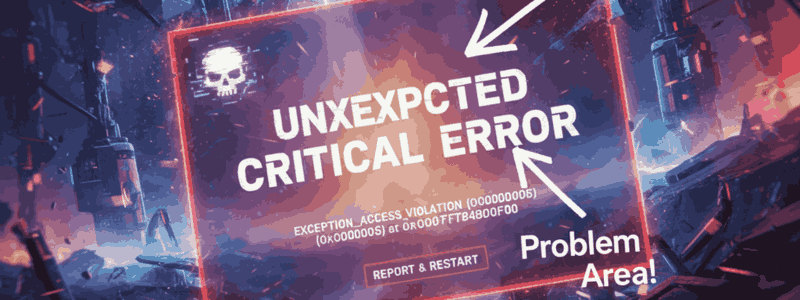
The most common issue is the game not starting at all or crashing right after launch. In my experience, this usually happens due to outdated graphics drivers or corrupted game files.
2. Lag and Low FPS
Some players notice lag or FPS drops, especially on low to mid-range PCs. This makes gameplay less enjoyable and can affect combat precision.
3. Controller or Keyboard Issues
Sometimes, the controller or keyboard may not respond properly. I found that adjusting input settings solved most of these problems and made gameplay smoother.
More Article: ARC Raiders Not Launching on PC? Here’s the Real Fix That Works (2026)
Step-by-Step Fix Guide
Step 1: Restart and Check Your System
First, restart your PC and make sure it meets the recommended system requirements for ARC Raiders. This simple step can fix minor launch issues instantly.
Step 2: Update Your Graphics Drivers
Many crashes happen because of outdated GPU drivers. Update your Nvidia or AMD drivers to the latest version. I noticed that this also improved FPS and reduced stuttering.

Step 3: Verify Game Files
If you’re using Steam or Epic Games Launcher, use the “verify game files” option. This fixes any corrupted files. After doing this, most of my startup crashes were resolved immediately.
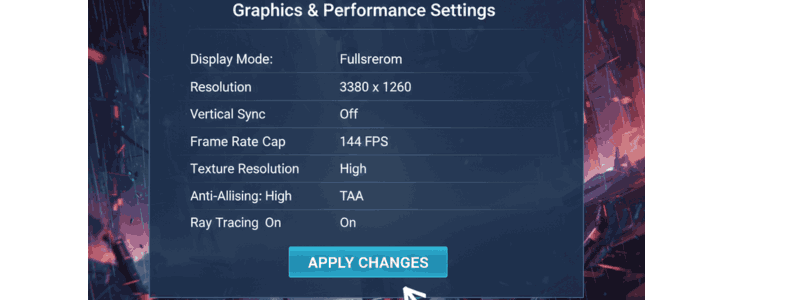
Step 4: Adjust Graphics Settings
Set graphics settings to medium or low if you have a mid-range PC. High settings can cause crashes and lag. From my experience, lowering shadows and texture quality made my gameplay much smoother.
Step 5: Close Background Apps
Programs like Discord, OBS, or Chrome can consume resources and cause crashes. Close any unnecessary apps and give the game full system resources.
Step 6: Run as Administrator
Right-click the game icon and choose “Run as Administrator”. This fixes permission-related issues and helps the game launch more smoothly.
Step 7: Reinstall the Game
If nothing else works, reinstall the game. This often solves problems caused by corrupted installations and ensures a fresh start.
Related Article: ARC Raiders Beginner Guide: How to Survive Your First Missions (Tips, Tricks & Fixes)
Extra Tips for Better Gameplay
- Keyboard / Controller Setup: Make sure your devices have the latest firmware.
- Performance Boost: Close unnecessary apps and use optimization tools if needed.
- Online/Multiplayer Tips: Use a wired connection to reduce latency in online matches.
FAQs
How do I fix ARC Raiders crashing on launch?
Restart your PC, update your graphics drivers, verify game files, adjust graphics settings, and run the game as an administrator.
How do I fix ARC Raiders crashing on startup?
Follow the step-by-step guide above, including system checks, driver updates, and reinstalling the game if necessary.
Why does ARC Raiders crash on loadup?
Most crashes happen due to outdated GPU drivers, corrupted game files, or conflicting background applications.
Why does my PC keep crashing when I start the game?
Make sure your PC meets the minimum system requirements, close unnecessary background apps, and update drivers to prevent conflicts with ARC Raiders.
Conclusion
From my experience, ARC Raiders’ startup crashes are usually caused by minor technical issues. By following this step-by-step guide, you can enjoy smooth gameplay without interruptions. I, Ariba Fatima, and OldGamesWorld recommend keeping your PC optimized and game files verified. Once your crashes are fixed, ARC Raiders becomes an incredibly fun and immersive experience.